
MCP for Gantry 5
MCP for Gantry 5 is a free add-on for MCP for J. It gives an AI app connected to your Joomla site 21 tools for templates built on the Gantry 5 framework, such as Helium: outlines and which pages use them, layouts, particle settings, style settings, Gantry particle modules, backups and a health check.
New to MCP for Gantry 5? This page is the reference manual. For an overview of what MCP for Gantry 5 does, and the download, see its page on cybersalt.com.
Release history. This page documents version 1.0.1. For what changed in each version, see the changelog.
Requirements. Joomla 5 or 6, PHP 8.2 or newer, MCP for J, and the Gantry 5 framework with a Gantry 5 theme. Joomla 6 needs Gantry 5.6.2 or later. Tested with Gantry 5.6.7 and Helium 5.6.7. The add-on is released under the GNU GPL v2 or later.
What's in the package
One plugin, System - MCP for Gantry 5 (element csmcpforjgantry5). It adds its tools to MCP for J and has no admin screen of its own. The tools appear in your AI app the next time it asks MCP for J for its tool list.
Installing
Install MCP for J first and connect your AI app to it. Then pick one of these:
- From inside Joomla (recommended). Open Components → MCP for J → Browse MCP Add-ons and install the Gantry 5 add-on. Updates then arrive through System → Update → Extensions.
- From the zip. Download it from the product page and install it in System → Install → Extensions.
First steps
Ask your AI app "Check my Gantry setup", then "List my Gantry outlines and which pages use them". Both are read-only. Take a backup before you let any AI app change a site you care about. The add-on keeps its own backup of every file it changes too (see Backups).
How Gantry stores things
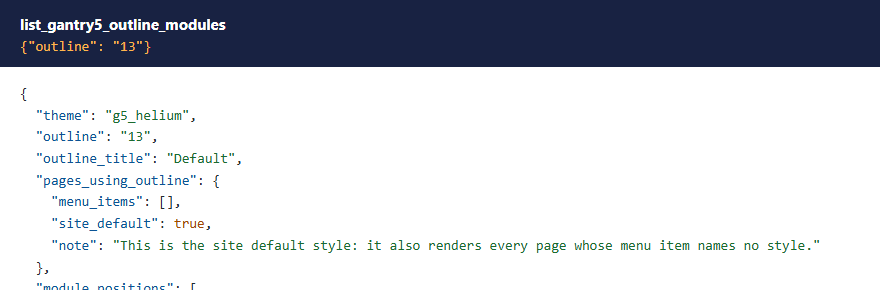
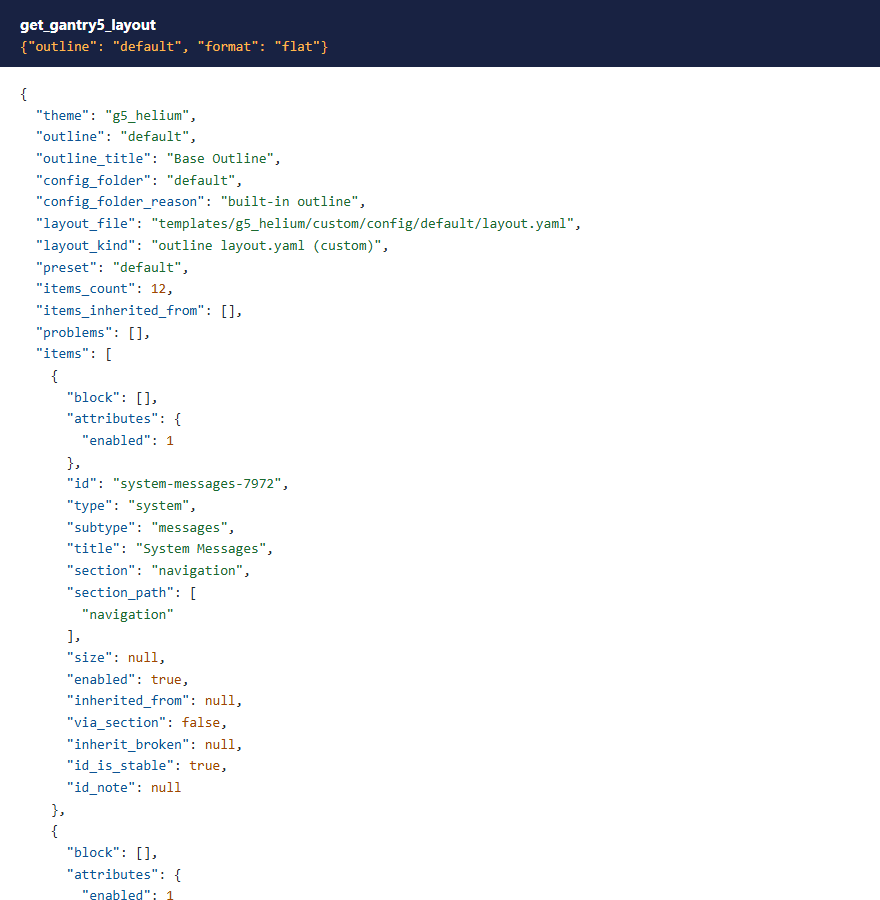
In Gantry an outline is a Joomla template style. The Base Outline holds the defaults, and every other outline inherits whatever it doesn't set itself, key by key. Each outline's layout, particle settings and styles are YAML files in templates/<theme>/custom/config/<outline>/. These tools read those files the way Gantry does, and change only the keys you name, so inheritance keeps working.
 ⤢ Click to enlarge
 ⤢ Click to enlarge
Permissions
The AI can never do more than the Joomla account it acts for could do in Gantry's own admin. Each tool needs MCP for J's Use permission (reading) or Write permission (changes), and on top of that:
| Tools | The account also needs |
|---|---|
| Reading themes, outlines, layouts, particles, styles, backups and the health check | Access Administration Interface on Gantry 5 or on Templates, as Gantry's admin does |
| Changing particles, particle defaults and styles, restoring a backup, clearing the cache | As above, and Edit on Templates |
| Creating an outline | As above, and Create on Templates |
| Assigning pages to an outline | As above, and Edit on Menus and Edit State on Templates, as Gantry's Assignments tab does |
| Changing a Gantry particle module | Access Administration Interface on Modules and Edit on that module, as Gantry's own particle module editor does |
| Turning Twig on, or changing content that Twig processes | Super User |
With Joomla's default permissions, Administrators can use every tool and Managers can use none. The refusal says what's missing.
 ⤢ Click to enlarge
The tools
21 tools in 7 groups. Your AI app picks the right one from what you ask.
| Group | What they do |
|---|---|
| Diagnostics (2) | The health check, and clearing Gantry's cache (optionally its compiled CSS too). |
| Themes and outlines (6) | List Gantry themes and their outlines, read one outline, list and change which pages use which outline, and create an outline as a copy or as one that inherits. |
| Layouts (2) | Read an outline's layout, and list its module positions with the Joomla modules that land in them on that outline's pages. |
| Particles (5) | List particle types, read and change one particle's settings, and read and change an outline's defaults for a particle type. |
| Styles (2) | Read and change an outline's style settings, such as colours, fonts and breakpoints. |
| Particle modules (2) | List Joomla's "Gantry 5 Particle" modules, and change the particle settings stored in one. |
| Backups (2) | List the add-on's backups and restore one. |
Changing a particle
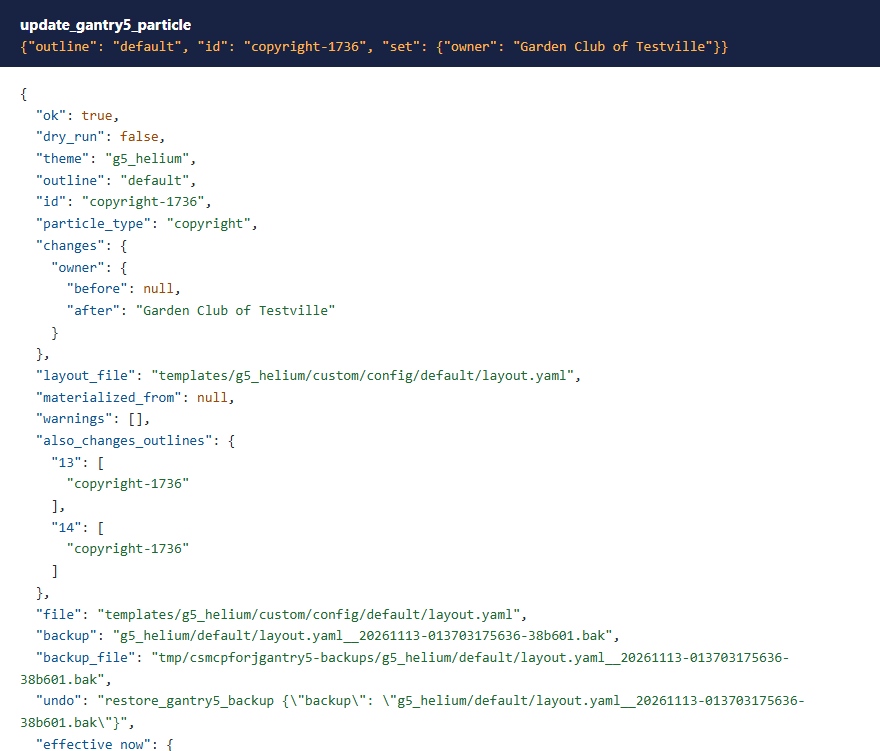
update_gantry5_particle changes the settings you name on one particle in one outline. Keys and values are checked against the particle type's own settings, and unknown keys are refused. The answer names any other outline that inherits this particle, because they change too, and gives the backup to undo it with.
 ⤢ Click to enlarge
If an outline inherits the particle from another outline, nothing is written: the answer names the outline it's stored in, and changing it there changes every outline that inherits it. Use dry_run to see a change without writing it.
Styles and colours
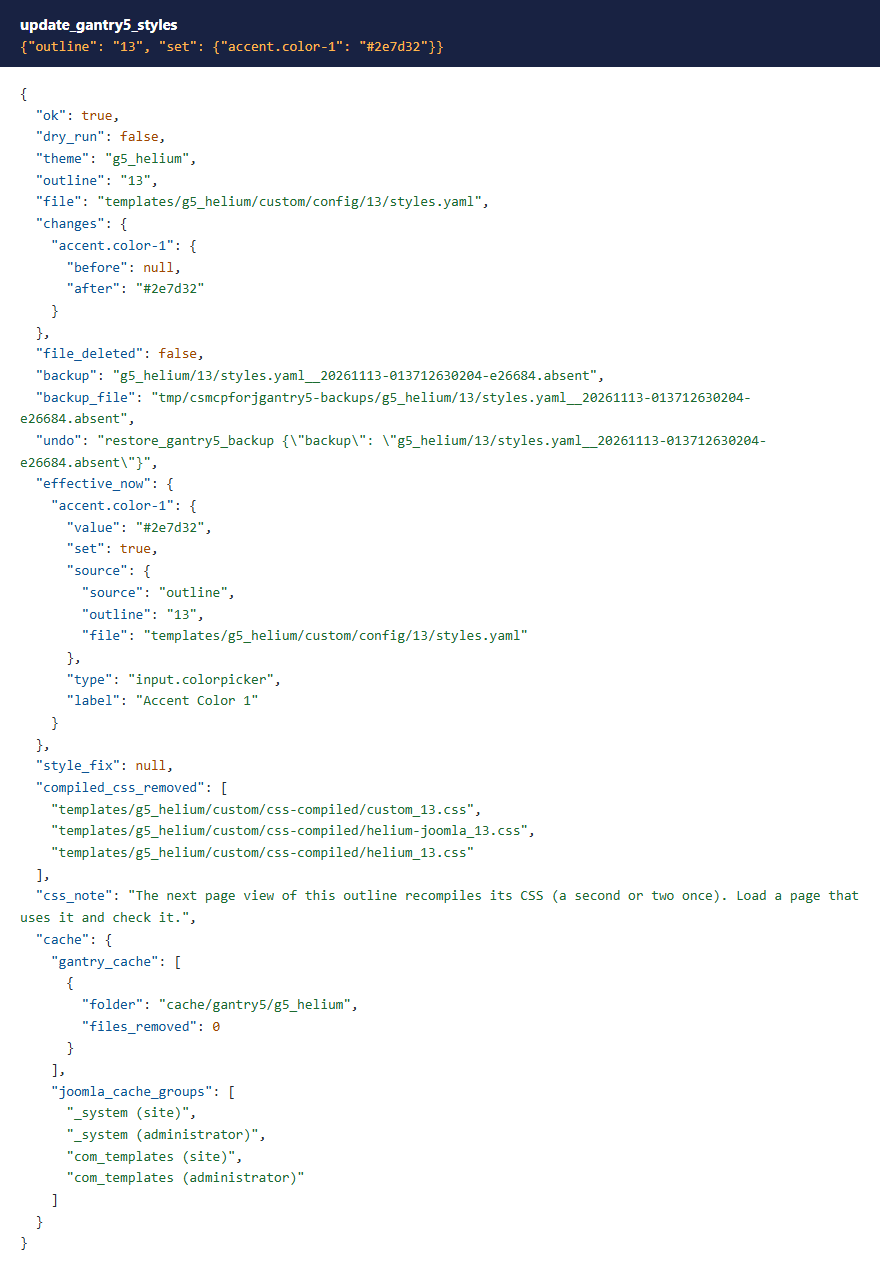
update_gantry5_styles changes the style settings you name on one outline and clears that outline's compiled CSS (every outline's, for the Base Outline), so the next page view rebuilds it.
 ⤢ Click to enlarge
Colours are checked before they're saved. Gantry stops every page that uses an outline when a colour won't compile, so these tools accept only what Gantry treats as a colour: #rrggbb, rgba(r, g, b, a) with channels from 0 to 255 and an alpha of 0, 1 or 0.x, transparent, or a CSS colour name. The short form #rgb, rgb() and hsl() are refused for that reason. Other style settings follow the patterns in the theme's own settings.
 ⤢ Click to enlarge
Production mode. If Gantry's production mode is on, changed styles show only once the compiled CSS is rebuilt. These tools delete it for you; clear_gantry5_cache does the same on request.
Module positions
list_gantry5_outline_modules shows an outline's module positions, which outline each comes from, and the Joomla modules that land in each one on that outline's pages, including whether a module's own menu assignment shows it there. Positions the layout doesn't render are listed separately.
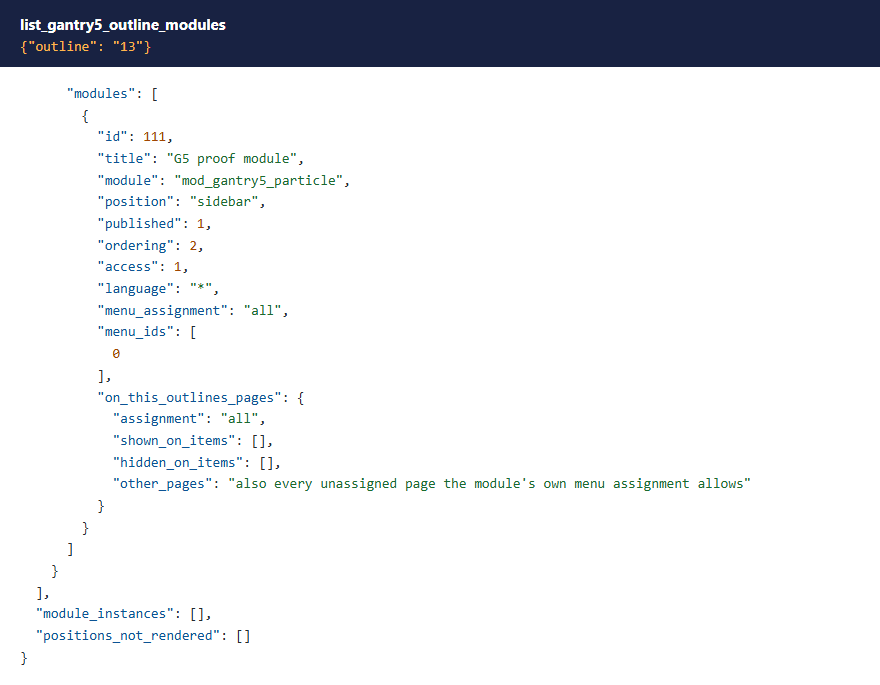 ⤢ Click to enlarge
New outlines and page assignments
create_gantry5_outline creates a template style and its outline, either as a copy of another outline or as one that inherits every section from it. set_gantry5_outline_assignments points menu items at an outline, or takes them off it.
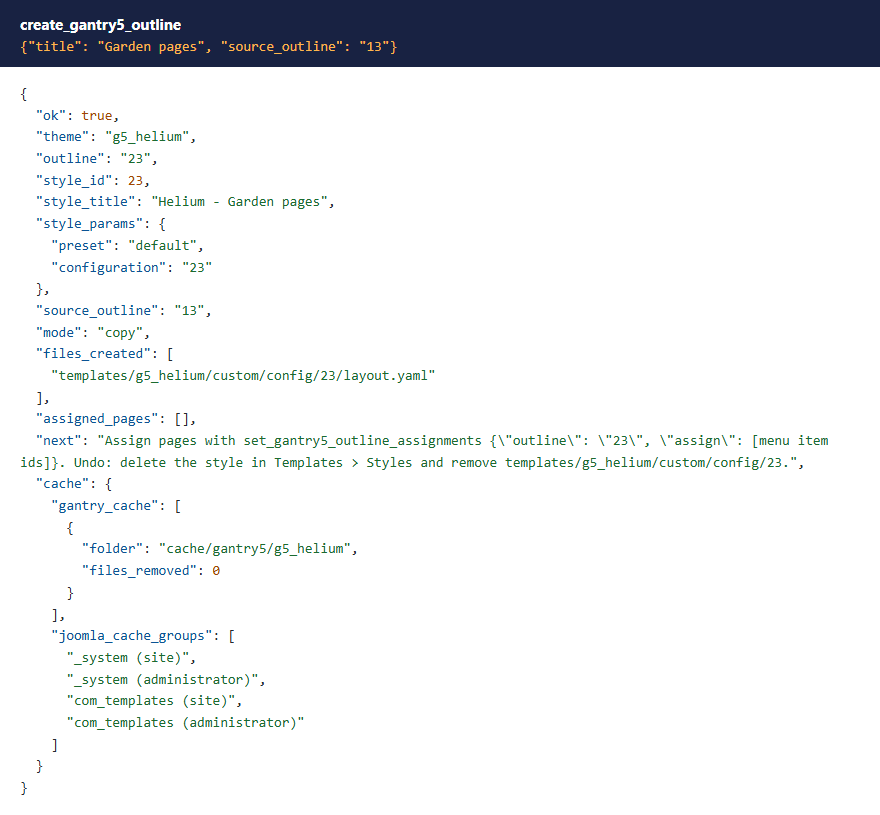 ⤢ Click to enlarge
Gantry's admin can overwrite a fresh theme's outlines. Gantry's installer creates template styles without their configuration setting, and Gantry's admin then copies the preset over that outline's folder the next time it lists outlines. Before writing, these tools set configuration the way Gantry's admin does afterwards, so a change isn't wiped. The health check warns about styles that still lack it.
Backups
Before any file changes, the add-on copies it to tmp/csmcpforjgantry5-backups/ (a folder the web server refuses to serve). Each answer names its backup. restore_gantry5_backup puts the file back byte for byte, and backs up the version it replaces, so a restore can be undone too.
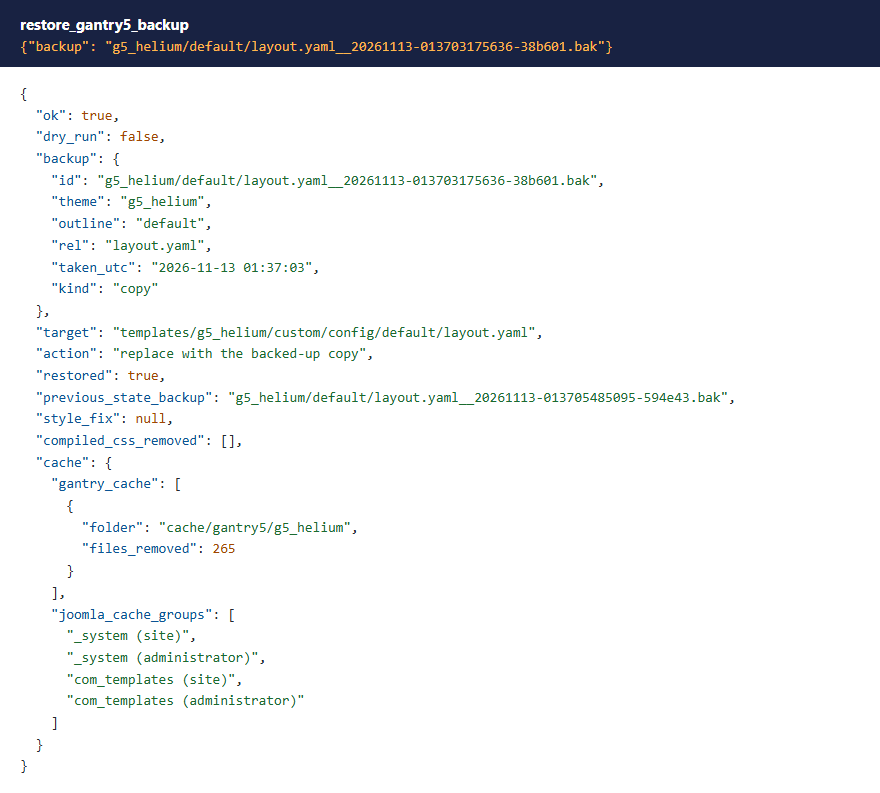 ⤢ Click to enlarge
Twig stays with Super Users
Gantry's Custom HTML particle can process its content as Twig, which runs on the server. Gantry's admin lets anyone into its admin turn that on. These tools let only a Super User turn Twig on, or change content that Twig processes, whether Twig is set on the particle itself or comes from the outline's particle defaults.
 ⤢ Click to enlarge
What these tools don't do
- They don't add, move or delete particles or sections in a layout. Use Gantry's Layout editor for that.
- Page settings and atoms are read-only.
- Gantry's config files can be fetched from the web like any template file, so don't put secrets in particle settings.
What's been tested
Version 1.0.1 was tested on Joomla 5.4 and 6.1 with Gantry 5.6.7, the Helium 5.6.7 theme and PHP 8.4. All 21 tools were called with each change checked in the files, the database and the rendered page: a particle change showing on the site and a restore putting the file back byte for byte, styles recompiling with a new colour, and a new outline assigned to a page. The permission checks ran on every tool with Super User, Administrator and Manager accounts. Themes with a parent theme, older Gantry layout formats and multilingual sites haven't been tested yet.
Troubleshooting
| Symptom | Cause and fix |
|---|---|
| No Gantry tools in the AI app | Check that MCP for J is installed, System - MCP for Gantry 5 is enabled in System → Plugins, and the AI app has refreshed its tool list. |
A tool says the account lacks core.manage or core.edit | See Permissions. |
| A change doesn't show on the site | The page may use a different outline (see list_gantry5_outline_modules), or the outline inherits that setting from elsewhere. In production mode, clear the compiled CSS. |
| "no fixed id in the layout file" | Save that outline's layout once in Gantry's Layout editor, which gives every item a fixed id. |
| A change was wiped after visiting Gantry's admin | The style was missing its configuration setting. Run the health check; the tools set it before writing. |
Getting help
Questions and bug reports are welcome through the Cybersalt support form. Please include your Joomla, PHP, Gantry, theme, MCP for J and add-on versions, and the tool response that surprised you.
MCP for Gantry 5 is developed by Cybersalt Consulting Ltd. and released under the GNU General Public License v2 or later. It is not made or endorsed by Tiger12 or the Gantry project.
An outline's layout — click anywhere to closeClose ×
A permission refusal — click anywhere to closeClose ×
Changing a particle — click anywhere to closeClose ×
Changing a colour — click anywhere to closeClose ×
A colour refused — click anywhere to closeClose ×
Module positions — click anywhere to closeClose ×
Copying an outline — click anywhere to closeClose ×
Restoring a backup — click anywhere to closeClose ×
Twig refused — click anywhere to closeClose ×