
Menu Conditions
CS Menu Conditions is a system plugin that hides individual menu items on the pages you choose. Each menu item gets a Conditions tab; on pages that match, the item is removed from the page on the server before it is sent, together with its dropdown and any scripts inside it.
New to Menu Conditions? This page is the reference manual. For an overview, with the download, see its page on cybersalt.com.
Release history. This page documents the current release (1.3.0). For what changed in each version, see the changelog.
Requirements. Joomla 5.0 or newer (it runs on Joomla 5 and Joomla 6) and PHP 8.1 or newer. Available from cybersalt.com.
Installing
- Buy a licence on cybersalt.com (one purchase covers as many of your sites as you like), log in and download the ZIP from My Sites.
- In the administrator, go to System → Install → Extensions and upload it. The plugin is switched on for you.
- Link the site to your account (below).
- Edit any menu item: there is a new Conditions tab.
Link your account
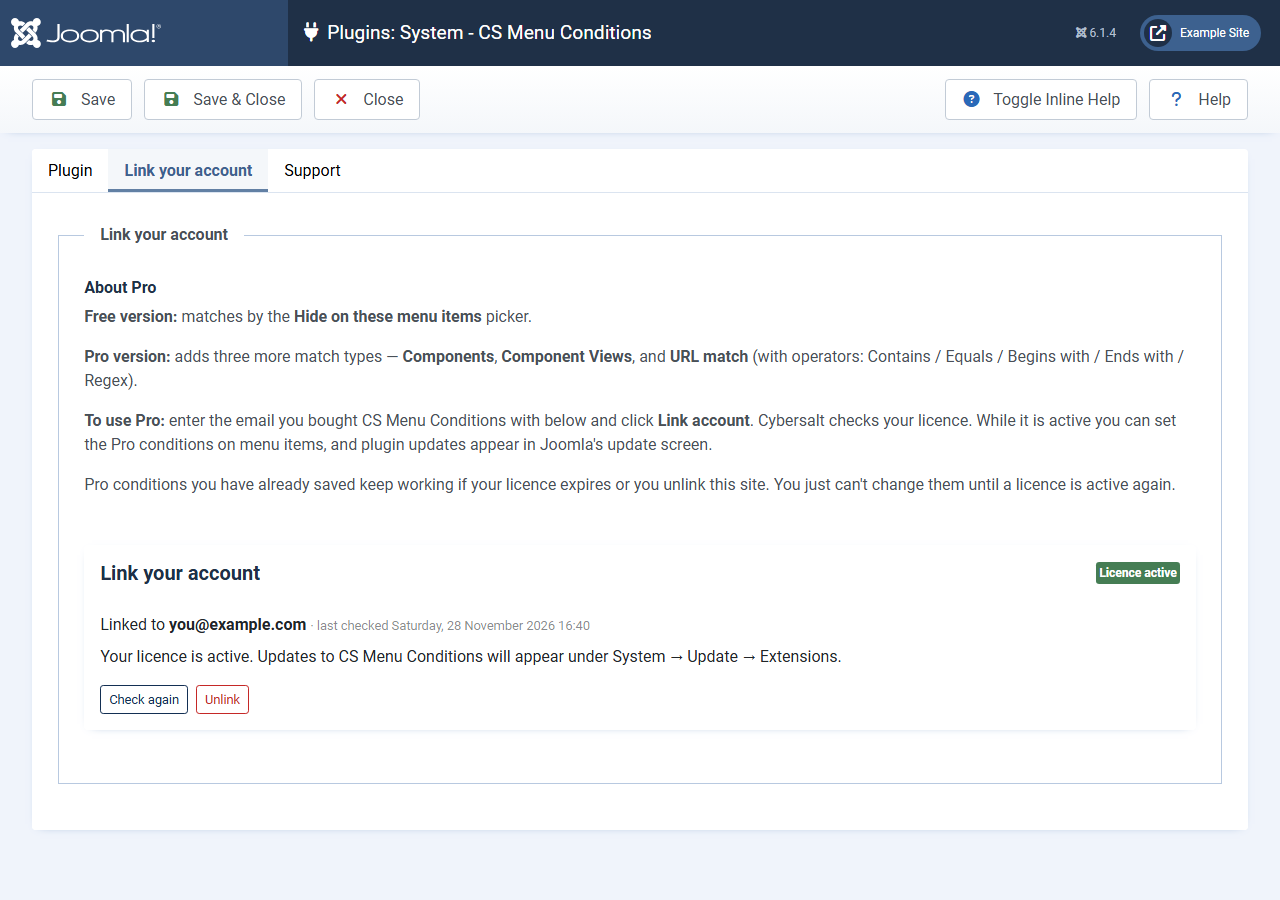
Go to System → Manage → Plugins, open System - CS Menu Conditions, and on the Link your account tab enter the email you bought it with, then press Link account. Cybersalt checks that the email has an active licence. While it does:
- the Components, Views and URL match conditions can be set on every menu item;
- new versions show up under System → Update → Extensions, with their changelog.
The panel shows the linked email and the licence state, with a Check again button and, if the licence has lapsed or none is found, the renewal or sign-up link. Linking needs no email confirmation: the owner of the address gets an email naming the domain and can remove the site from their account.
 ⤢ Click to enlarge
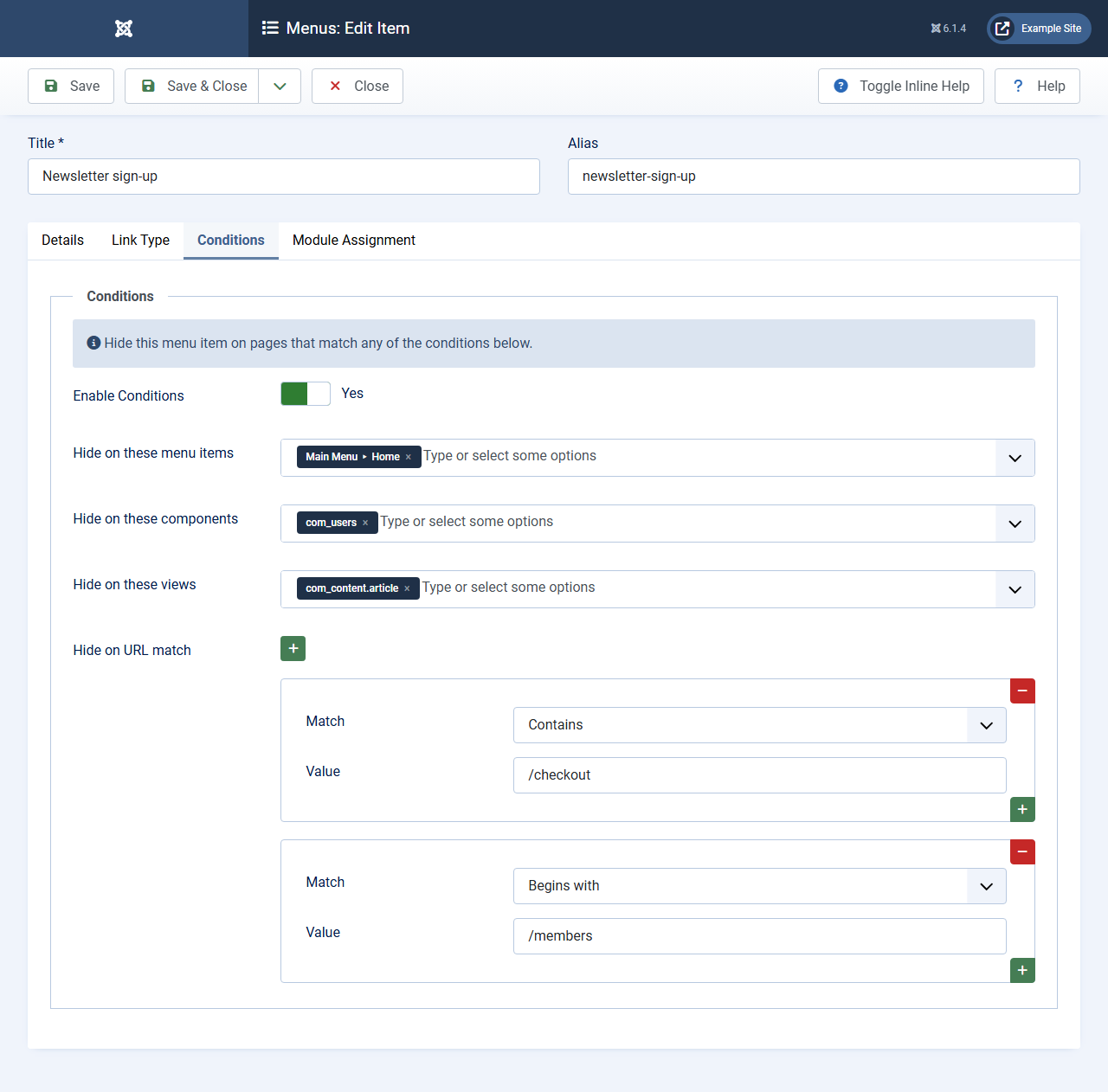
The Conditions tab on menu items
| Field | What it does |
|---|---|
| Enable Conditions | The switch for this menu item. Off means the item is never hidden by this plugin. |
| Hide on these menu items | Pick the menu items (grouped by menu) whose pages should hide this item. Works on every site, linked or not. |
| Hide on these components | Pick installed components; any page from them hides the item. Needs a linked account. |
| Hide on these views | Pick component views (for example a single article or a category list). Needs a linked account. |
| Hide on URL match | Rule rows: an operator (Contains, Equals, Begins with, Ends with or Regex) and a value. Values can be a path (/subscribe), part of a path (subscribe) or a full address; the protocol and host are ignored, and matching ignores upper and lower case. Needs a linked account. |
Any condition that matches hides the item. Empty fields are ignored. Every choice is picked from a list; you never type item numbers or component names.
 ⤢ Click to enlarge
Plugin settings
| Setting | What it does |
|---|---|
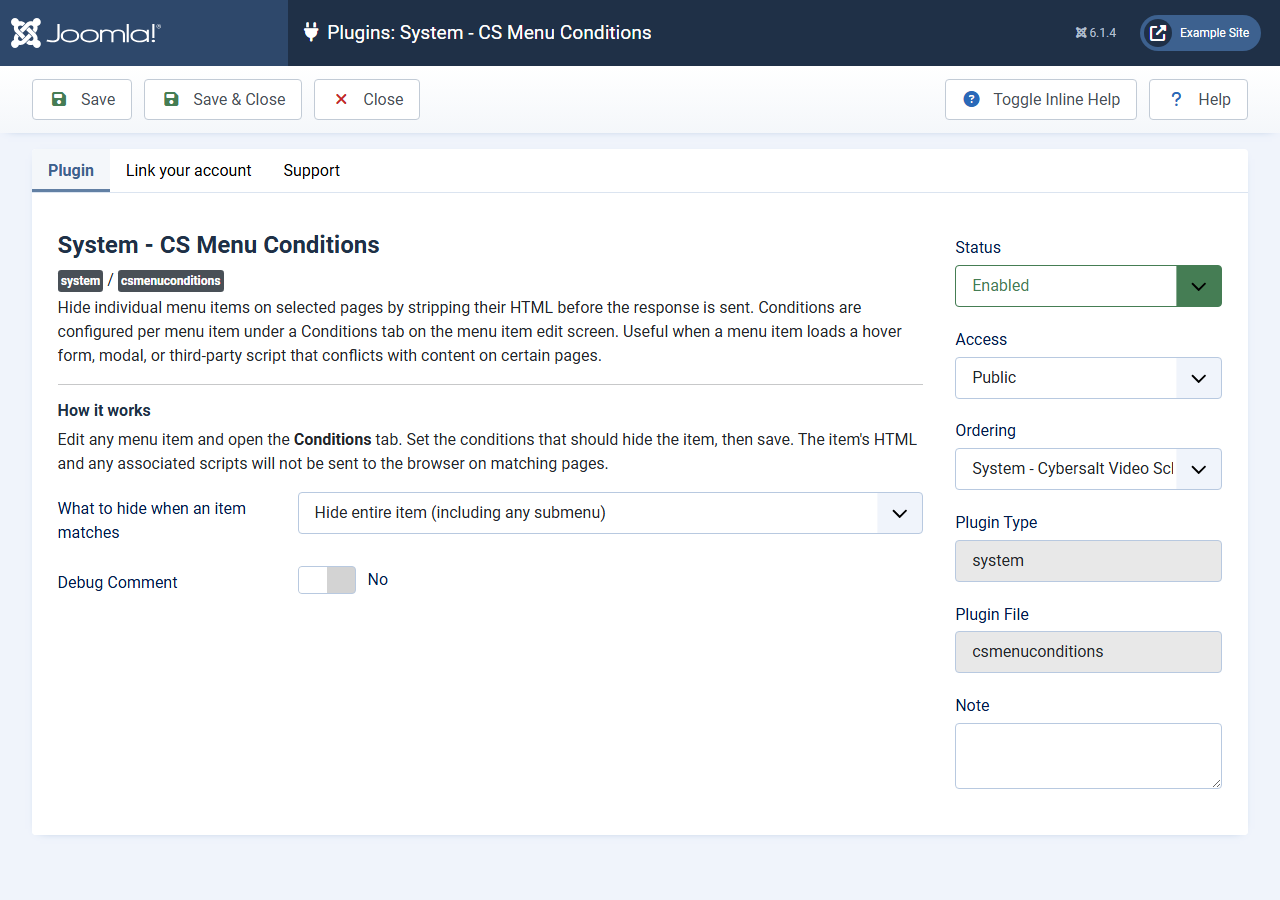
| What to hide when an item matches | Hide entire item removes the menu item and everything nested under it (the usual choice). Hide submenu only keeps the item's link and removes only its dropdown. |
| Debug Comment | Adds a comment to the page source listing the ids of the items that were hidden, so you can check a rule. |
| Link your account | See above. |
| Support | The contact label, email and address shown wherever the plugin says where to get help (the install card and the notes on locked conditions). |
 ⤢ Click to enlarge
If the licence lapses
Conditions you have already saved never switch off. If the licence expires, you unlink the site or cybersalt.com can't be reached, they stay on your menu items and keep hiding what they hid. You just can't change them until a licence is active again, and saving the menu item keeps them exactly as they were. A network problem is not treated as a verdict: the plugin keeps the last real answer. The front end of your site never contacts cybersalt.com; only the settings screen does, when you link, press Check again, or open the panel more than a day after the last check.
Sites that switched Pro on the old way (Pro Activation in 1.2.0 and earlier) keep their saved conditions working. To change them, link the account.
Things to know
- The item is removed from the finished page, so it works with any template and any menu module, with no template changes.
- Only normal HTML pages are changed (not JSON, feeds or raw output), and only menu items with conditions switched on are looked at.
- Hiding an item hides only that item: hiding item 5 never touches items 50 or 500.
- Regular-expression URL rules are limited, so a badly written pattern can't slow the site down.
Troubleshooting
| Symptom | Cause and fix |
|---|---|
| The item still shows | Check the plugin is enabled, Enable Conditions is on for that item, and the page really matches. Turn on Debug Comment and look in the page source for the list of hidden ids. |
| Components, Views and URL match show a lock | The site isn't linked to an active licence. Link it on the plugin's Link your account tab. |
| No updates in System → Update → Extensions | Link the account first; updates need an active licence. |
Getting help
Use the support form on cybersalt.com.
The Conditions tab — click anywhere to closeClose ×
The Link your account tab — click anywhere to closeClose ×
The plugin settings — click anywhere to closeClose ×