MCP for jDownloads
MCP for jDownloads is a free add-on for MCP for J. It gives an AI app connected to your Joomla site 17 tools for jDownloads by Arno Betz: categories and their folders, downloads, attaching files, licences, user-group limits and permissions, and a health check that compares the database with the disk.
New to MCP for jDownloads? This page is the reference manual. For an overview of what MCP for jDownloads does, and the download, see its page on cybersalt.com.
Release history. This page documents version 1.0.1. For what changed in each version, see the changelog.
Requirements. Joomla 5 or 6, PHP 8.2 or newer, MCP for J, and jDownloads. Built against jDownloads 4.1.7. The add-on is released under the GNU GPL v2 or later.
What's in the package
One plugin, System - MCP for jDownloads (element csmcpforjjdownloads). It adds its tools to MCP for J and has no admin screen of its own. The tools appear in your AI app the next time it asks MCP for J for its tool list.
Installing
Install MCP for J first and connect your AI app to it. Then pick one of these:
- From inside Joomla (recommended). Open Components → MCP for J → Browse MCP Add-ons and install the jDownloads add-on. Updates then arrive through System → Update → Extensions.
- From the zip. Download it from the product page and install it in System → Install → Extensions.
First steps
Ask your AI app "Check my jDownloads setup". It's read-only. Take a backup before you let any AI app make changes to a site you care about.
Permissions
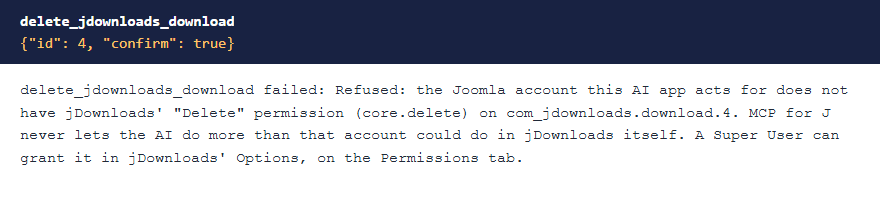
The AI can never do more than the Joomla account it acts for could do in jDownloads. Each tool needs MCP for J's Use permission (reading) or Write permission (changes), jDownloads' Access Administration Interface permission, and on top of that:
| Tools | The account also needs, in jDownloads |
|---|---|
| Reading categories, downloads, licences, group limits, unused files, the health check and the table reader | Nothing more |
| Reading the permission matrix | Configure ACL & Options |
| Creating a category or download | Create on the parent category, and Edit State to create it published |
| Changing a category or download, or attaching a file | Edit, or Edit Own on your own, on that item |
| Moving to another category | As above, and Create on the new category |
| Publishing or unpublishing | Edit State on that item |
| Deleting a download | Delete on that download |
Rules on one category or download apply, as they do in jDownloads' admin. Super Users pass every check. A Super User can grant these in jDownloads' Options, on the Permissions tab. The refusal names what's missing.
 ⤢ Click to enlarge
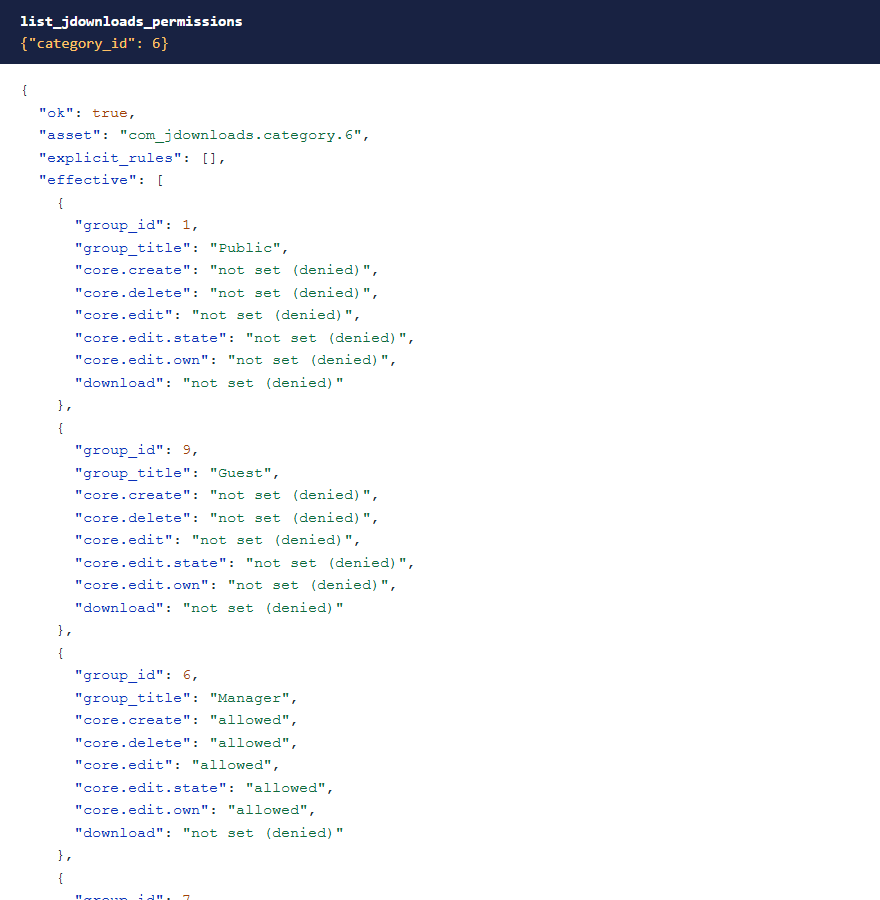
list_jdownloads_permissions shows, for each user group, whether each action ends up allowed, denied or not set on the component, a category or a download.
 ⤢ Click to enlarge
Updating from 1.0.0? Reading the permission matrix now needs Configure ACL & Options. Everything else needs what it did before.
The tools
17 tools in 5 groups. Your AI app picks the right one from what you ask.
| Group | What they do |
|---|---|
| Categories (4) | List, read, create and change, including renaming or moving a category, folder and all. |
| Downloads (6) | List, read, create, change, publish or unpublish, and delete. |
| Files (2) | Attach a file that's already in the upload folder, and list the files no download uses. |
| Lookups (3) | Licences, download and upload limits per user group, and each group's effective permissions. |
| Diagnostics (2) | The health check and a read-only table viewer. |
The health check
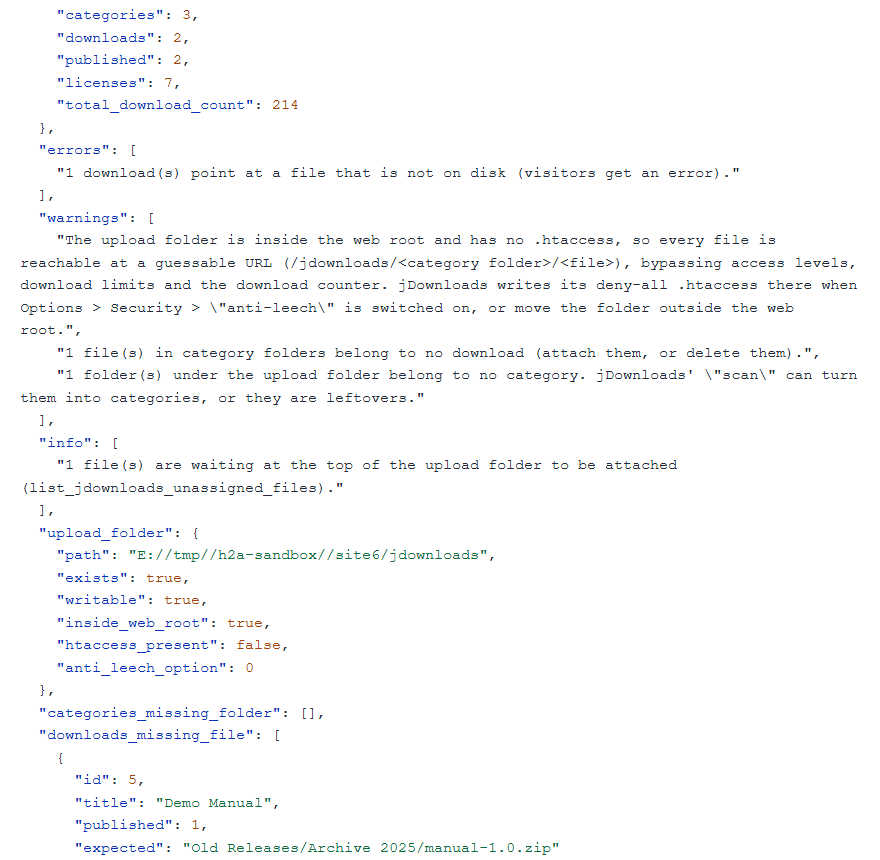
check_jdownloads_health is read-only. It compares jDownloads' database with what's on the disk: downloads whose files are missing, files no download uses, folders with no category, files waiting in the upload folder, and whether that folder can be reached directly from the web.
 ⤢ Click to enlarge
The default upload folder is open to the web. Anyone with a file's address can fetch it directly, past access levels and the download counter, until you switch on jDownloads' anti-leech option. The health check tells you when that's the case.
Categories are folders
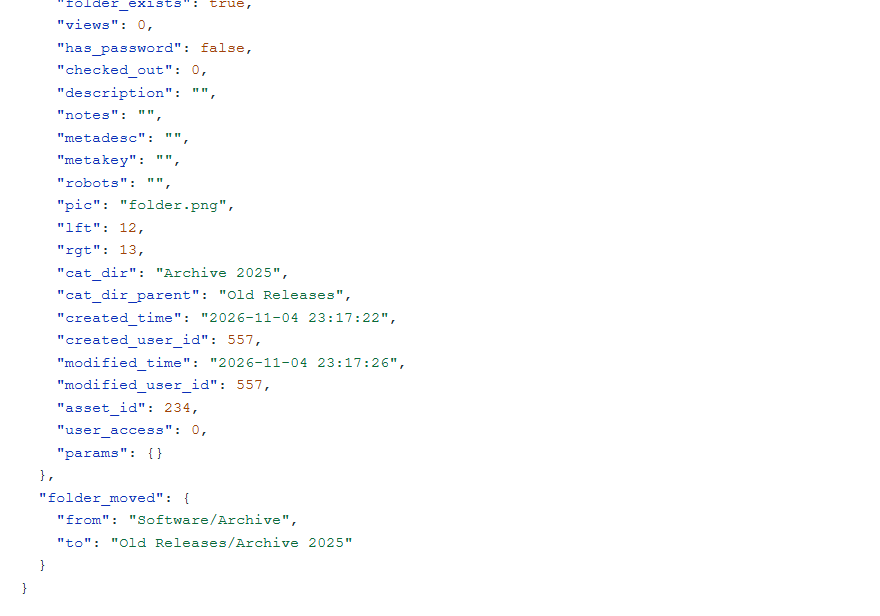
In jDownloads every category is also a folder. A rename or move checks the disk before anything is written, moves the folder in one step, and checks the database against the disk afterwards. It's refused if a folder of that name already exists, or if you try to move a category into its own branch.
 ⤢ Click to enlarge
Why edits keep what you didn't send
jDownloads' own admin save can't be used outside its form: there it blanks some fields, deletes screenshots and resets permissions. So downloads are written through its table, one field at a time. Tags, custom field values, permission rules, checksums, screenshots and the counter stay as they were. Nothing these tools do sends an email.
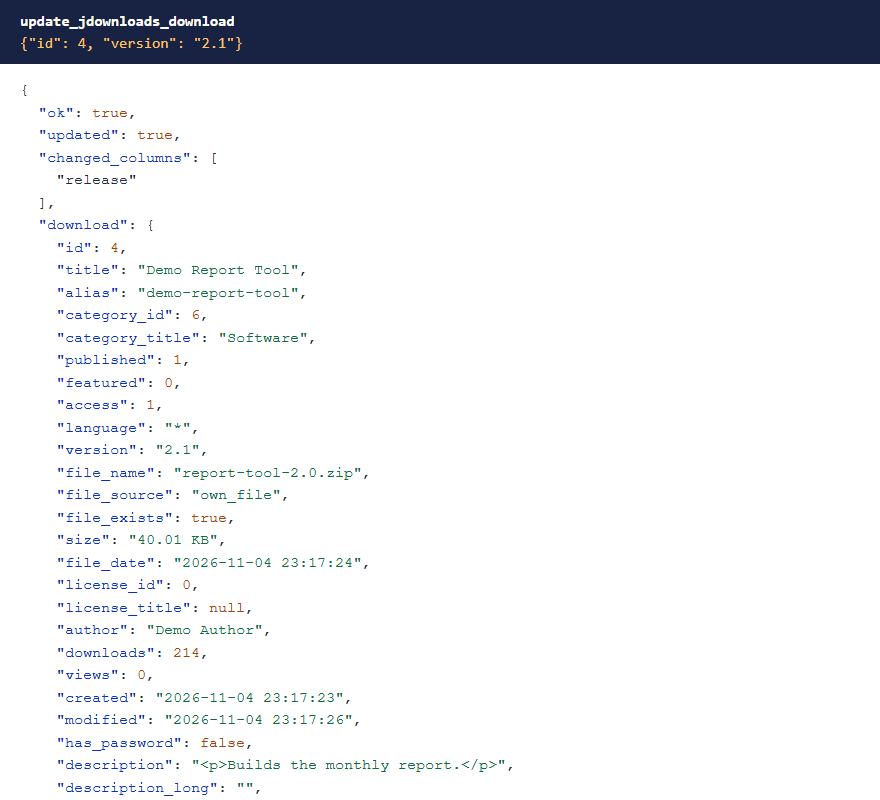 ⤢ Click to enlarge
Joomla's text filters apply
Download descriptions, long descriptions, changelogs and category descriptions go through Joomla's text filters for the account making the change, as they do in jDownloads' own form. If that removes anything, the response says which fields changed. Super Users and other groups with no filtering are unaffected. Titles, versions, authors, notes and the meta fields are plain text, and they're refused if they contain tags.
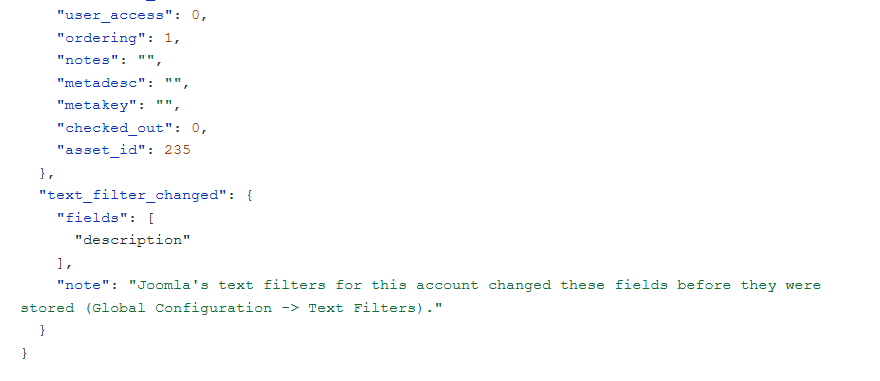 ⤢ Click to enlarge
Attaching files
Put the file in the jDownloads upload folder first, by FTP, the file manager or jDownloads' own upload. Then ask for it to be attached. It moves into the category's folder, and the size and checksums are worked out from the real file.
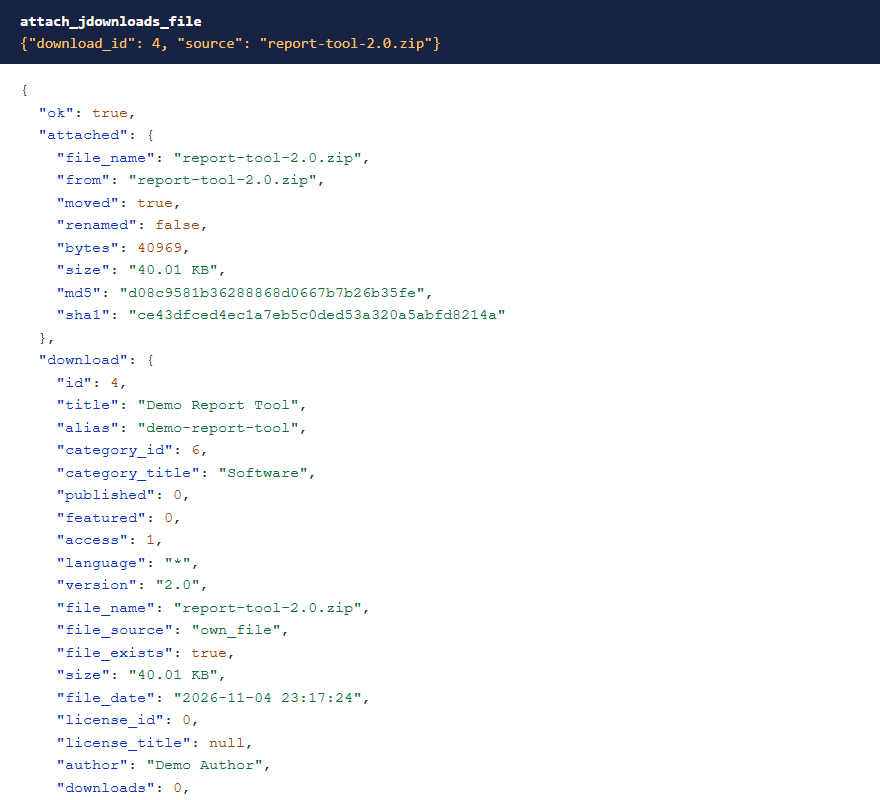 ⤢ Click to enlarge
Files come from inside the upload folder only. There's no .. and no symbolic links, no file type jDownloads' upload settings block, and never a type the server could run.
 ⤢ Click to enlarge
Deleting
jDownloads has no trash. A deleted download is gone for good, and jDownloads normally deletes its file too. So delete_jdownloads_download wants the download unpublished first and needs a confirmation, and it keeps the file unless you pass delete_file.
 ⤢ Click to enlarge
What stays private
jDownloads stores category and download passwords in plain text next to their hash. These tools never return them, or visitors' IP addresses, and they can't be used to filter or sort. has_password says whether a password is set. The table viewer is read-only and limited to jDownloads' own tables.
What's been tested
Version 1.0.1 was tested on Joomla 5.4 and 6.1 with jDownloads 4.1.7: all 17 tools called with the writes checked in the database and on disk, and the permission checks with Super User, Administrator and Manager accounts on every tool. Multilingual sites and jDownloads' manual folder mode haven't been tested yet.
Troubleshooting
| Symptom | Cause and fix |
|---|---|
| No jDownloads tools in the AI app | Check that MCP for J is installed, System - MCP for jDownloads is enabled in System → Plugins, and the AI app has refreshed its tool list. |
| A tool says "Refused: …" | The account is missing that jDownloads permission. See Permissions. |
| A file can't be attached | It has to be in the upload folder, with a type jDownloads allows. list_jdownloads_unassigned_files shows what's there. |
| Part of a description has gone | Joomla's text filters for that account removed it. See Joomla's text filters apply. |
| A category won't publish | jDownloads refuses when its folder is missing or its parent is unpublished. |
| A download won't delete | Unpublish it first, and pass the confirmation. |
Getting help
Questions and bug reports are welcome through the Cybersalt support form. Please include your Joomla, PHP, jDownloads, MCP for J and add-on versions, and the tool response that surprised you.
MCP for jDownloads is developed by Cybersalt Consulting Ltd. and released under the GNU General Public License v2 or later. It is not made or endorsed by Arno Betz or the jDownloads project.
Effective permissions — click anywhere to closeClose ×
The health check — click anywhere to closeClose ×
Moving a category — click anywhere to closeClose ×
Changing one field — click anywhere to closeClose ×
A text filter report — click anywhere to closeClose ×
Attaching a file — click anywhere to closeClose ×
A .php file refused — click anywhere to closeClose ×
Deleting a published download — click anywhere to closeClose ×