MCP for JComment
MCP for JComment is a Pro add-on for MCP for J. It gives an AI app connected to your Joomla site 15 tools for JComment by Joomla! Extensions Store: reading comments and threads, replying, approving, deleting, scoring spam, and a health check.
New to MCP for JComment? This page is the reference manual. For an overview of what it does, and how to get it, see its page on cybersalt.com.
Release history. This page documents version 1.0.0. For what changed in each version, see the changelog.
Requirements. Joomla 5 or 6, PHP 8.2 or newer, MCP for J, and JComment, purchased from Joomla! Extensions Store. Built against JComment 2.0. The add-on is released under the GNU GPL v2 or later.
JComment or JComments? This add-on is for JComment (com_jcomment, no "s"). The free JComments has its own free add-on, MCP for JComments. Neither add-on works with the other's extension, and a site can run both.
What's in the package
One plugin, System - MCP for JComment (element csmcpforjjcomment). It adds its tools to MCP for J and has no admin screen of its own. The tools appear in your AI app the next time it asks MCP for J for its tool list. Their names use jextcomment, for example list_jextcomment_comments.
Installing
Install MCP for J first, connect your AI app to it, and link your Cybersalt account in MCP for J's dashboard. You need a subscription to this add-on or to MCP for J Pro All Access. Then pick one of these:
- From inside Joomla (recommended). Open Components → MCP for J → Browse MCP Add-ons and install the JComment add-on. Updates then arrive through System → Update → Extensions.
- From the zip. Download it from your licences page and install it in System → Install → Extensions.
First steps
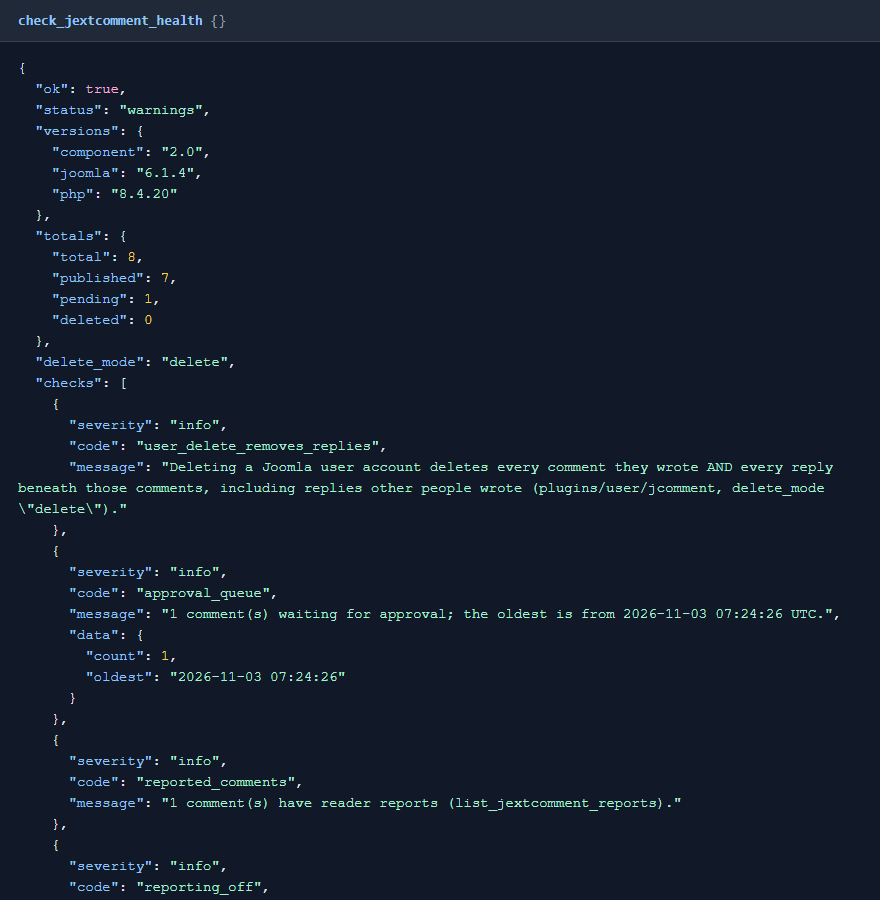
Ask your AI app "Check my JComment setup". It's read-only. Take a backup before you let any AI app make changes to a site you care about.
 ⤢ Click to enlarge
Permissions
The AI can never do more than the Joomla account it acts for could do in JComment. Each tool needs MCP for J's Use permission (reading) or Write permission (changes), JComment's Access Administration Interface permission, and on top of that:
| Tools | The account also needs, in JComment |
|---|---|
| Reading comments, lists, settings, the health check, the spam check and the table reader | Nothing more |
| Approving or unpublishing | Edit State |
| Deleting | Delete |
| Replying | Membership of JComment's can comment and can reply lists, and not being on its blacklist when that's on |
| Banning an author while marking spam | Create |
A reply is published straight away only if the account is in JComment's autopublish list, or if you ask for it and the account has Edit State. Super Users pass the Joomla checks.
 ⤢ Click to enlarge
The tools
15 tools in 6 groups. Your AI app picks the right one from what you ask.
| Group | What they do |
|---|---|
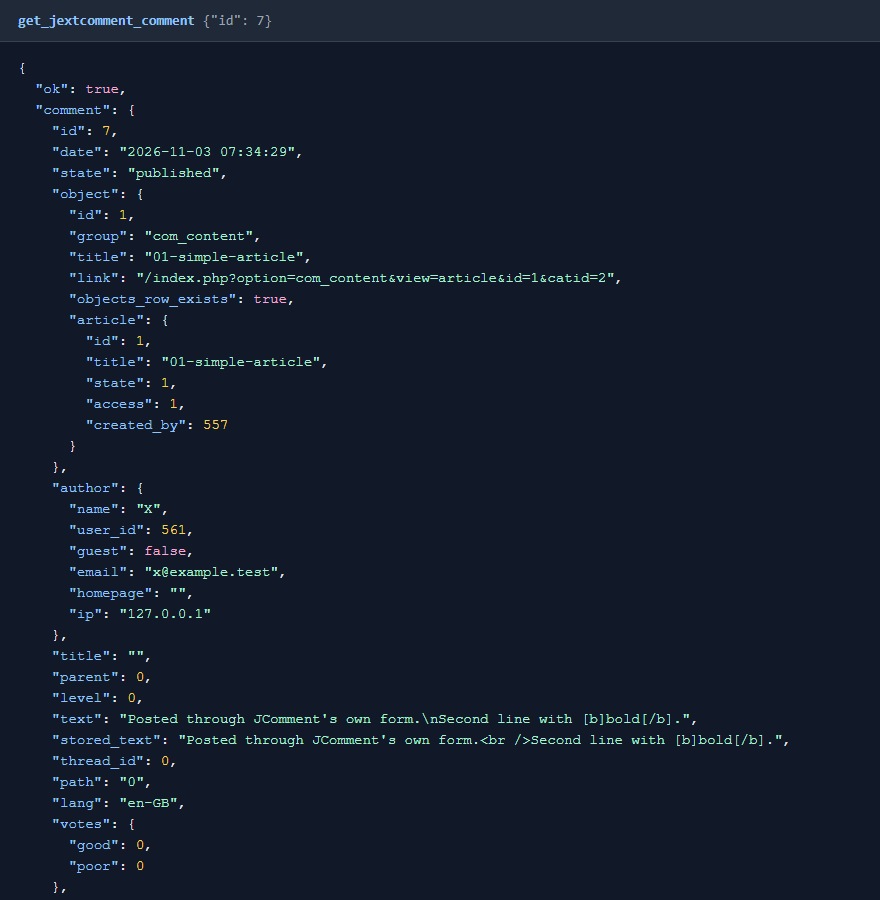
| Reading (2) | List comments newest first, filtered by state, item, author, IP address, date or text, or the replies to one comment. Read one comment with its whole thread, reports and author history. |
| Replying (1) | Post a reply as the account, threaded the way JComment threads replies. An identical reply to the same comment is refused, so a retry can't post twice. |
| Moderation (2) | Approve or unpublish one comment or many. Delete comments, with a dry run first. |
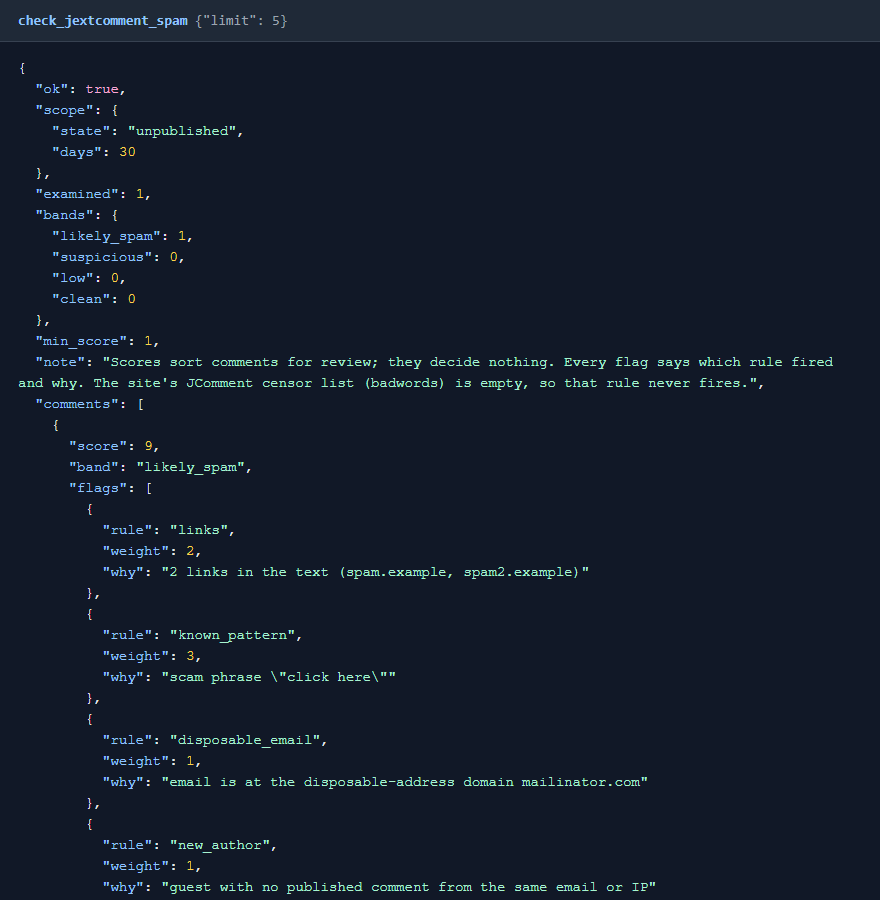
| Spam (2) | Score comments with every rule that fired. Mark spam by unpublishing or deleting it, optionally blacklisting the author as JComment's Ban button does. |
| Lists (5) | Commented items with pending counts, reader reports, subscriptions, the blacklist and the mail queue. All read-only. |
| Diagnostics (3) | A health check, JComment's settings with group names, and a read-only look at JComment's own tables. |
 ⤢ Click to enlarge
Nothing emails anyone unless you ask
JComment's own admin Publish button emails every subscriber of the item in the same request. Here, approving, replying, unpublishing, deleting and banning send nothing by default. Pass notify: true and the tool runs JComment's own notification for that action, for at most 20 comments in one call.
How the spam check works
Scores sort comments for review and decide nothing. Each flag says which rule fired and why. The rules look at links and their domains, known spam phrases, your JComment censor list, a link in the author name, disposable email addresses, repeated or shouted text, the same text posted elsewhere, bursts from one IP address, blacklist hits, new authors, reader reports and poor votes. No rule looks at the language or script of the text.
 ⤢ Click to enlarge
Deleting
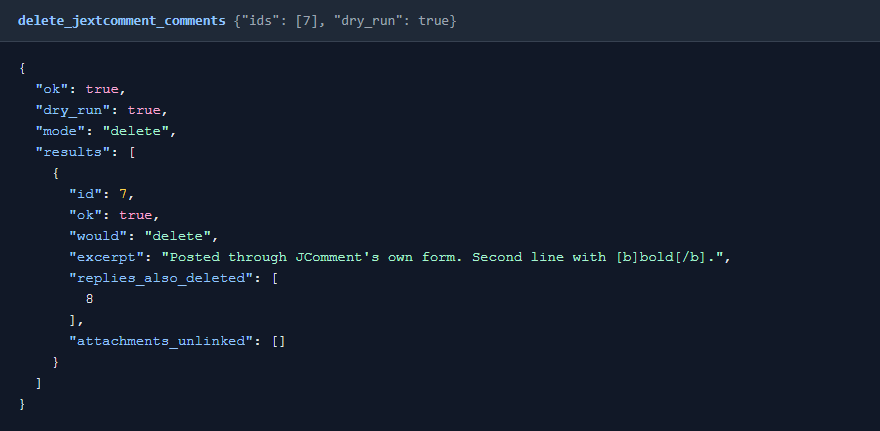
Deletes go through JComment's own table and follow its delete mode. "Delete" removes the comment and every reply beneath it, with their votes and reports. "Mark" leaves a "comment deleted" placeholder and keeps the replies. Run a dry run first: it lists what goes with the comment, and flags anything unexpected as a warning.
 ⤢ Click to enlarge
JComment behaviour worth knowing
- Reporting is off on a fresh install, although the Settings screen shows it on. Saving Settings once turns it on. The health check says so.
- A fresh install gives nobody a Reply button. It uses the flat "list" view, and the button appears only in the "tree" view.
- Deleting an item's last comment also deletes every subscription to that item and its attachment folder. Deleting a comment that has replies never does, even when it empties the item, so those subscriptions stay behind.
- Deleting a Joomla user account, with JComment's user plugin on and delete mode "delete", deletes every comment they wrote and every reply beneath those, including replies other people wrote.
- Several permission lists name the groups a check applies to: captcha, flood protection, the length check, the privacy checkbox, email protection and the auto-censor.
- With Joomla's "From email" or "From name" empty, JComment sends nothing and its queue just grows. With "cron only" on, it sends only when its cron URL is called. The health check covers both.
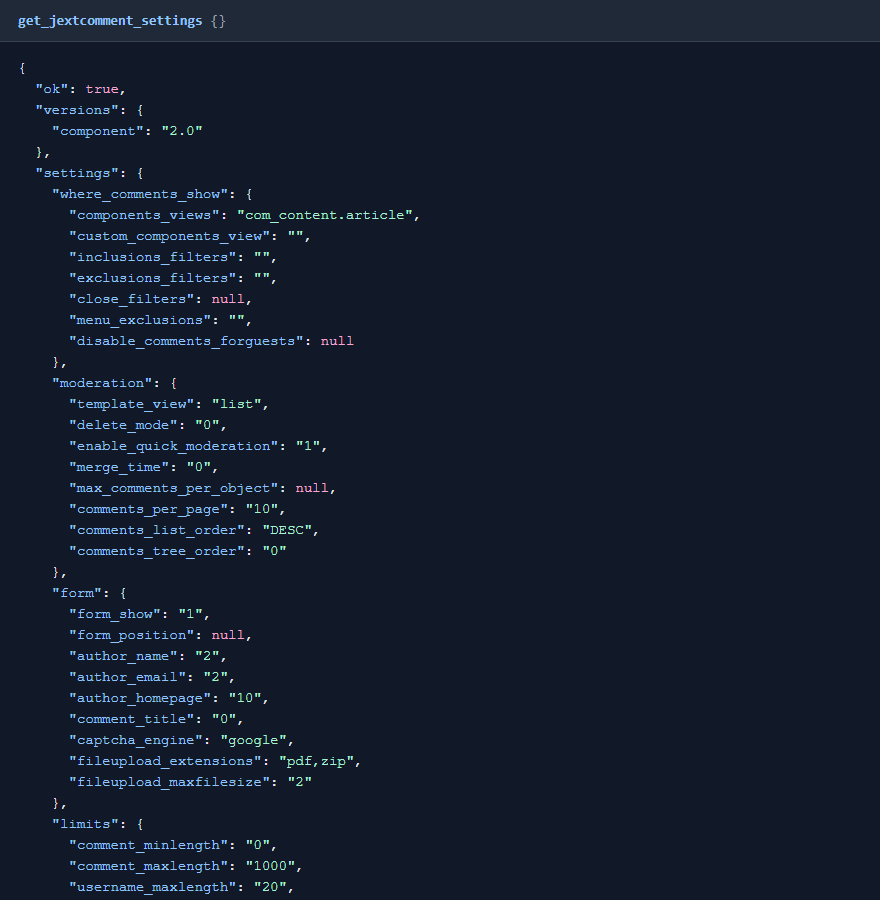 ⤢ Click to enlarge
What stays private
Unsubscribe hashes, the bodies of queued emails (which carry moderation links) and the updater registration email are never shown. The table viewer is read-only and limited to JComment's own tables.
What's been tested
Version 1.0.0 was tested on Joomla 6.1.4 with PHP 8.4 and JComment 2.0: all 15 tools called as a Super User and as a Manager, with comments posted through JComment's own front-end form and every change checked in the database. Joomla 5 and guest posting haven't been tested yet.
Troubleshooting
| Symptom | Cause and fix |
|---|---|
| No JComment tools in the AI app | Check that MCP for J is installed, System - MCP for JComment is enabled in System → Plugins, and the AI app has refreshed its tool list. |
| A tool says JComment isn't installed, and names JComments | You run the free JComments. Use MCP for JComments. |
| A tool says the user lacks a permission | See Permissions. A Super User can grant it in JComment's Options, on the Permissions tab. |
| A reply is refused | The account isn't in JComment's can comment or can reply list, is blacklisted, or the same reply is already there. |
| Subscribers weren't told | That's the default. Ask for it, and the tool passes notify: true. |
| Update can't be downloaded | Check your subscription is active and MCP for J's dashboard is linked to the email you bought with. |
Getting help
Questions and bug reports are welcome through the Cybersalt support form. Please include your Joomla, PHP, JComment, MCP for J and add-on versions, and the tool response that surprised you.
MCP for JComment is developed by Cybersalt Consulting Ltd. and released under the GNU General Public License v2 or later. It is not made or endorsed by Joomla! Extensions Store.
An account without access to JComment — click anywhere to closeClose ×
One comment with its thread — click anywhere to closeClose ×
A comment scored as likely spam — click anywhere to closeClose ×
A dry run before deleting — click anywhere to closeClose ×
JComment's settings, with group names — click anywhere to closeClose ×