MCP for Community Builder
MCP for Community Builder is a free add-on for MCP for J. It gives an AI app connected to your Joomla site 32 tools for Community Builder by Joomlapolis: members and their profile fields, sign-up moderation, custom fields and tabs, connections, lists, CB's plugins and settings.
New to MCP for Community Builder? This page is the reference manual. For an overview of what MCP for Community Builder does, and the download, see its page on cybersalt.com.
Release history. This page documents version 1.0.3. For what changed in each version, see the changelog.
Requirements. Joomla 5 or 6, PHP 8.2 or newer, MCP for J, and the free Community Builder core. Tested with 2.12.0. Joomlapolis's paid add-ons aren't covered. The add-on is released under the GNU GPL v2 or later.
What's in the package
One plugin, System - MCP for Community Builder (element csmcpforjcommunitybuilder). It adds its tools to MCP for J and has no admin screen of its own. The tools appear in your AI app the next time it asks MCP for J for its tool list.
Installing
Install MCP for J first and connect your AI app to it. Then pick one of these:
- From inside Joomla (recommended). Open Components → MCP for J → Browse MCP Add-ons and install the Community Builder add-on. Updates then arrive through System → Update → Extensions.
- From the zip. Download it from the product page and install it in System → Install → Extensions.
First steps
Ask your AI app "Give me an overview of Community Builder", then "Run a health check", then "Audit my registration settings". All three are read-only. Take a backup before you let any AI app make changes to a site you care about.
Permissions
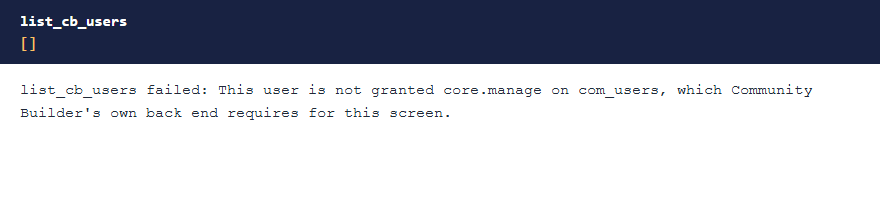
The tools follow Community Builder's own access rules for the account making each request, on top of MCP for J's Use and Write permissions.
| To do this | The account needs |
|---|---|
| Read members, connections and reports | Access to Joomla's Users manager (core.manage on com_users) |
| Change a member's profile fields | Also core.edit on com_users. Only a Super User can change a Super User |
| Approve, confirm, ban or block a member | Also core.edit.state on com_users. Only a Super User can moderate a Super User |
| Fields, tabs, lists and plugins | Community Builder's core.manage, plus Create, Edit, Edit State or Delete for changes |
| Health check and table viewer | Community Builder's core.manage |
| Reading or changing settings, and the registration audit | Community Builder's core.admin |
 ⤢ Click to enlarge
HTML in member fields. Community Builder's filter applies to member field values, as it does when a member saves the form: HTML editor fields are cleaned and the response says which ones changed, and other text fields refuse HTML. Tab and field descriptions are stored as sent, as in CB's own admin.
The tools
32 tools in 7 groups. Your AI app picks the right one from what you ask.
| Group | What they do |
|---|---|
| Diagnostics (4) | An overview with member counts, a health check, and a read-only table viewer. |
| Configuration (3) | The registration audit, reading settings, and changing named settings. |
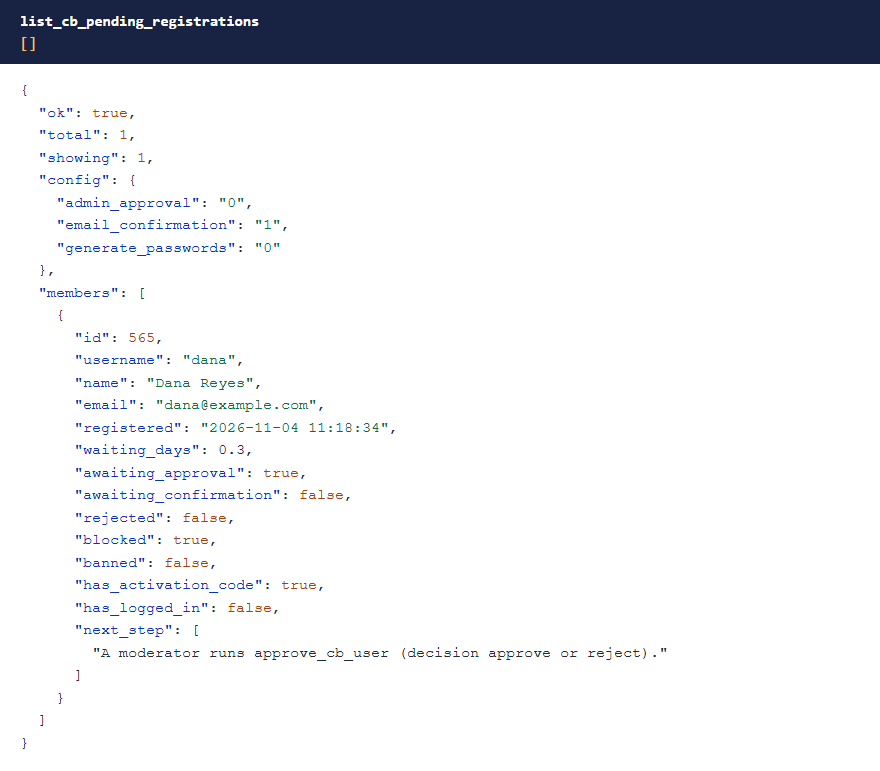
| Members (4) | List and search, read a member with every field grouped by tab, set field values, and see the moderation queue. |
| Moderation (5) | Approve or reject, confirm an email address, ban or unban, block or unblock, and read member reports. |
| Fields (7) | List, read, create, change and delete fields, see the field types, and set a field's options. |
| Tabs (5) | List, read, create, change and delete tabs. |
| Community (4) | Connections, member lists, CB's plugins, and publishing or unpublishing one. |
 ⤢ Click to enlarge
The registration audit
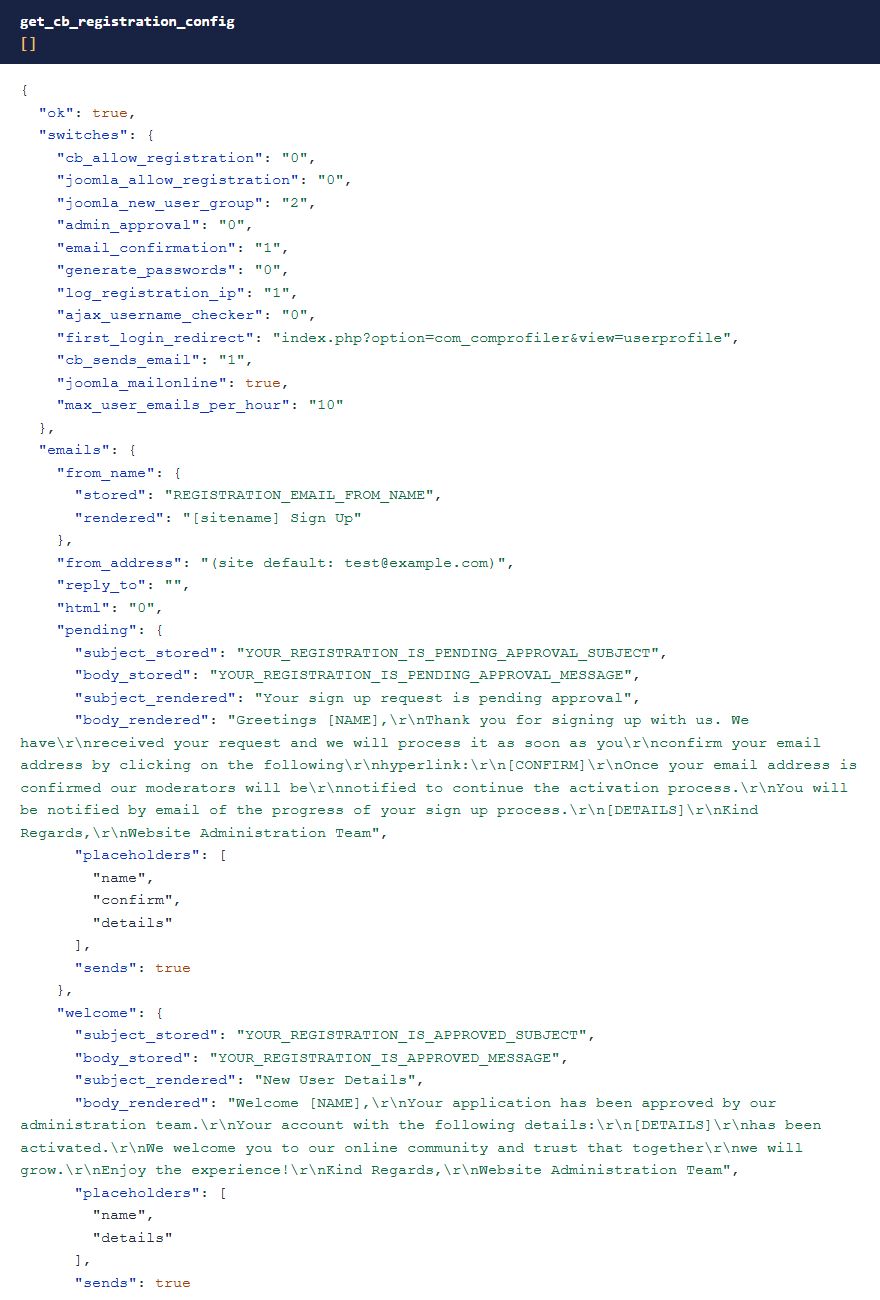
get_cb_registration_config shows your Pending and Welcome emails as CB will send them, says which one goes out at each step of a sign-up, and flags what quietly breaks it: a [CONFIRM] link that renders empty because email confirmation is off, confirmation switched on with no email to carry the link, generated passwords no email delivers, and approvals no moderator is told about.
 ⤢ Click to enlarge
Emails wait until you say so
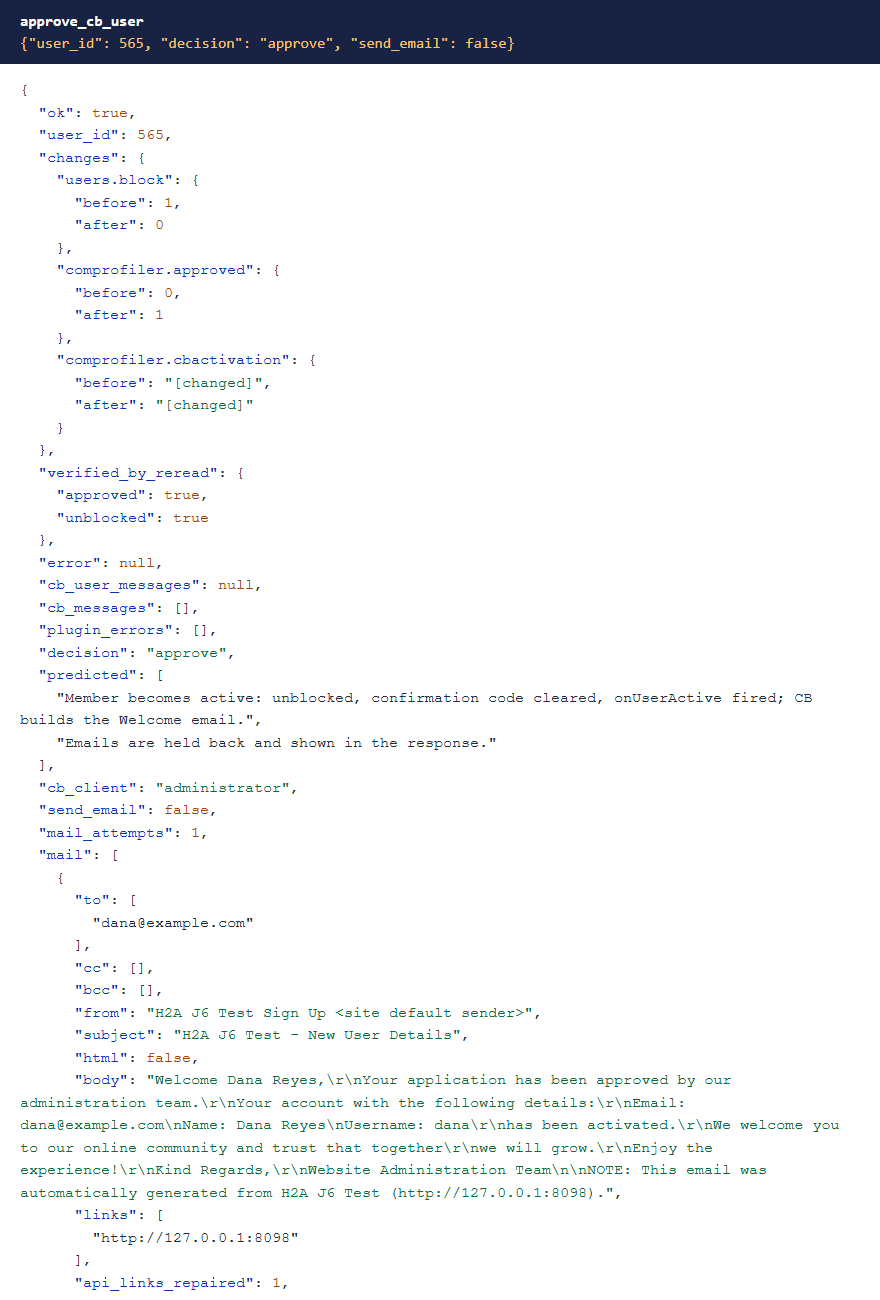
Approving, rejecting, confirming, banning and unbanning all make Community Builder email the member. Through these tools, none of those goes out unless you pass send_email: true. Each email comes back in the response as CB built it, with confirmation codes masked, so you can read it first and then repeat the call.
 ⤢ Click to enlarge
One case refuses instead. With CB's Generate Registration Passwords setting on, approving or confirming replaces the member's password, and only the email carries the new one. So those tools refuse unless send_email is true.
Things it handles for you
- Writes are checked. Changes go through CB's own code so its events fire and the Joomla account and profile stay in step. Each write reads both back and reports what changed.
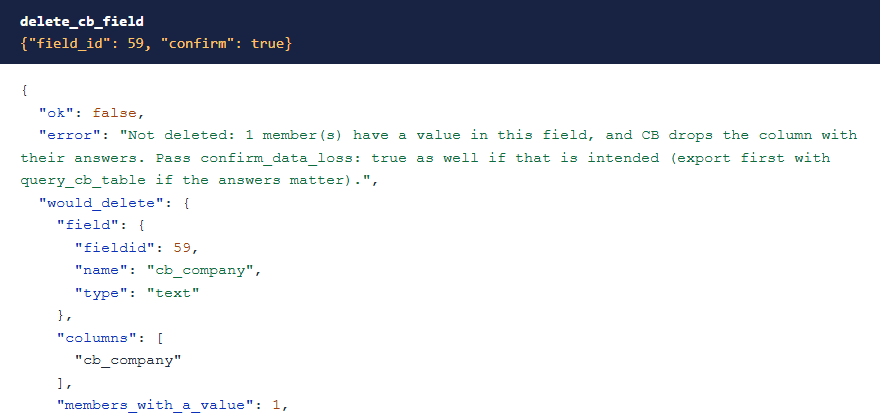
- Deleting a field deletes every member's answer, because CB drops the database column. The tool shows how many members have a value and needs
confirm_data_lossas well. - New fields stay off the sign-up form unless you ask for them there.
- Members store an option's text, not its id. Renaming or removing an option strands whoever chose it, so the option tool counts them and refuses unless you say that's what you want.
- A ban hides the profile but doesn't stop the member logging in. Blocking is the separate tool for that.
 ⤢ Click to enlarge
What stays private, and what it leaves alone
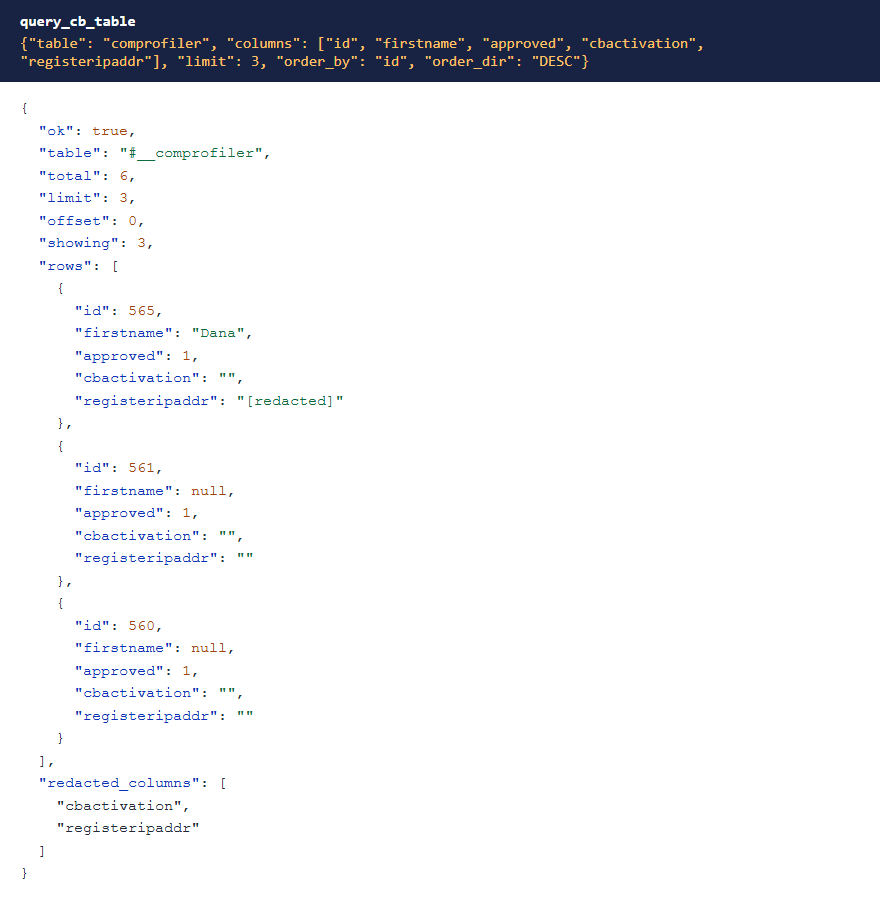
- Never returned: Joomla passwords and activation data, CB's confirmation code, registration IP addresses, CB password fields, the settings of CB's plugins, and the Joomlapolis install-from-web key and token. Masked columns can't be used to filter or sort.
- Not readable at all: CB's session table and the private-message tables.
- Left to MCP for J's user tools: creating and deleting members, and changing usernames, email addresses, passwords and user groups.
 ⤢ Click to enlarge
Troubleshooting
| Symptom | Cause and fix |
|---|---|
| No Community Builder tools in the AI app | Check that MCP for J is installed, System - MCP for Community Builder is enabled in System → Plugins, and the AI app has refreshed its tool list. |
| "This user is not granted …" | The account is missing that permission. See Permissions. |
Approve or confirm is refused without send_email | CB's Generate Registration Passwords setting is on, so the email has to go out. Pass send_email: true. |
| A member can't complete sign-up | Run the registration audit. It flags the setting combinations that break it. |
Getting help
Questions and bug reports are welcome through the Cybersalt support form. Please include your Joomla, PHP, Community Builder, MCP for J and add-on versions, and the tool response that surprised you.
MCP for Community Builder is developed by Cybersalt Consulting Ltd. and released under the GNU General Public License v2 or later. It is not made or endorsed by Joomlapolis.
The moderation queue — click anywhere to closeClose ×
The registration audit — click anywhere to closeClose ×
Approving with the email held back — click anywhere to closeClose ×
Deleting a field — click anywhere to closeClose ×
Masked columns — click anywhere to closeClose ×